

Remotewo


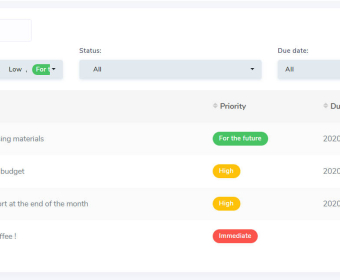
Open your laptop and get straight to work—no juggling tabs or guessing priorities. In your personal workspace, capture ideas as quick notes, convert the useful ones into actionable to‑dos, and block time on your calendar without leaving the page. A kanban-style board lets you drag cards through clear stages (To Do, In Progress, Done), while due dates and reminders keep you on schedule. At the end of the day, review what moved, reschedule what didn’t, and roll unfinished work forward with one click so tomorrow starts clean.
When you’re coordinating with a team, switch to the shared area to plan and ship together. Set up projects with goals, owners, and timelines. During planning, turn a backlog into a sprint by assigning tasks, estimating effort, and sequencing dependencies. The group calendar shows who’s on point and what’s due, so standups stay tight. Keep conversations organized with topic threads; escalate to chat or a quick video huddle when something needs fast alignment. Meeting notes become living documents everyone can edit at once, with @mentions for questions and decisions recorded inline.
Content and review cycles run smoothly end to end. Start with an idea, attach assets, and draft in a collaborative doc where multiple editors can write, suggest, and resolve comments in real time. Use checklists for style, compliance, or SEO before handoff. Assign reviewers, set deadlines, and track every revision with version history so you can compare changes or roll back if needed. When a piece is approved, move the card to Publish, auto-create the launch tasks, and notify the right channels. External partners can be added as limited contributors for feedback without exposing the whole workspace.
For product and client work, create templates for release checklists, onboarding steps, or campaign plans. Link tasks to contacts so stakeholders, decisions, and files live together. Run brainstorming sessions using shared docs to capture ideas, then promote the best ones to scoped tasks. Use dashboards to see workload, blockers, and progress at a glance, and schedule cross‑timezone deadlines from the team calendar so handoffs don’t slip. Whether you’re managing a sprint, coordinating a proposal, or keeping support follow‑ups on track, the same flow applies: plan, collaborate, review, and deliver—all inside one place designed for remote teams and focused individual work.
Remotewo
$3.33 per month
Unlimited boards
Unlimited team members
24/7 Support


Comments